

Key facts
- The Tiny Desk AI template runs 19 seconds in 9:16 vertical, with the original sound.
- It has five shots joined by hard cuts, with no dissolves.
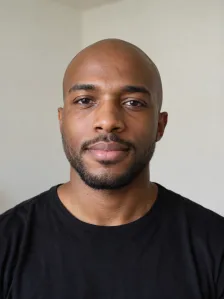
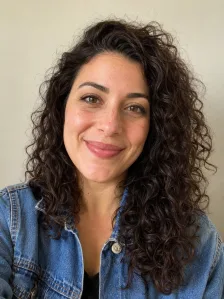
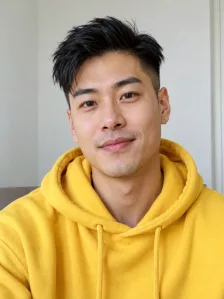
- It has five seats: lead singer, sax, keys and two backing singers.
- You choose the photos, their order and the resolution; the shots and the sound are fixed.
- One photo and five photos cost the same.
What is the Tiny Desk AI template?
A Tiny Desk AI template is a fixed plan for the video: the room, the camera cuts and the sound stay the same, and only the performers change. You do not edit a timeline or write a prompt.
Our template follows the viral desk concert clip. AI builds each shot from your photos and the original sound is placed under the cuts. It is not a copy of any one artist's set: the CMAT Tiny Desk concert, for example, is a different performance with its own songs and band.
The five shots, timed
The clip lasts 19 seconds. All four cuts are hard cuts. The times below come from a frame-by-frame check of the clip.
- The band, wide shot of everyone behind the desk (0.0 to 3.5 s).
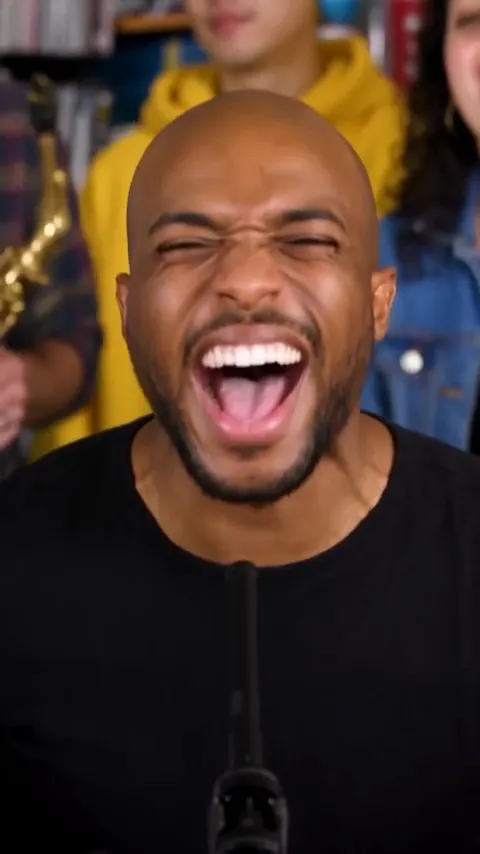
- Lead singer close-up, the first of two (3.5 to 9.7 s).
- Sax solo (9.7 to 13.2 s).
- The band again, wide shot (13.2 to 17.9 s).
- Lead singer close-up, the second one, ending the clip (17.9 to 19.0 s).
The five seats
Photo order is seat order. Choose the order before you upload.
- Photo 1: lead singer, shown in both close-ups.
- Photo 2: saxophone player, takes the solo.
- Photo 3: keyboard player.
- Photos 4 and 5: the two backing singers.
The lead seat is required
Photo 1 is the only required photo. It takes both close-ups, so choose the clearest face.
The other seats are optional
Add photos 2 to 5 to fill the sax, keys and backing singer seats. Seats fill in order, and AI fills any seat after your last photo. Screen time can vary, so a band member may get fewer shots.
What is fixed and what you choose
The template locks the parts that make the meme work. That keeps the timing right on the first try.
- Fixed: five shots, their timing, the room and the original sound.
- Fixed: 19 seconds and vertical 9:16.
- You choose: the photos, their order and the resolution (480p, 720p or 1080p).
Template or editing app?
Editing app templates ask you to drop in clips and match the beat by hand. This template needs only photos. AI generates the footage, and the cuts and the sound are already lined up.
The trade-off is control. You cannot change the length or the scene. If you want the fixed meme with your own faces, how to make a Tiny Desk AI video takes you from photos to download. The Outstanding Tiny Desk AI template page covers setup and price, and the Outstanding Tiny Desk AI guide explains the sound. You can start on the AI Tiny Desk Meme generator any time.
FAQs
What is the Tiny Desk AI template?
The Tiny Desk AI template is a fixed five-shot plan for a 19-second video. You choose the photos and the resolution, and the shots and the sound are set.
How many shots does the Tiny Desk AI template have?
The template has five shots: the band, a lead close-up, a sax solo, the band again and a final lead close-up. All cuts are hard cuts.
Can I change the length or the scene?
You cannot change the length or the scene. The template is fixed at 19 seconds so the cuts stay on the beat.
Do I need to download a template file?
There is no file to download. The template runs in the browser, and you only upload photos.
Does the template work with one photo?
The template works with one photo. That photo is the lead singer, and AI fills the rest of the band.
More on Potto.ai
AI Tiny Desk Meme is part of Potto.ai, our main site. Potto.ai also makes the Tiny Desk AI video from your photos, along with many more AI image and video effects.