



Key facts
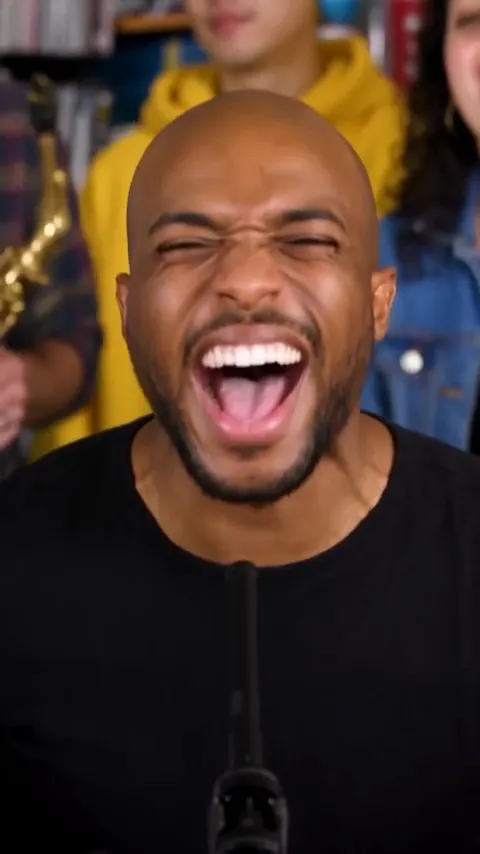
- The template makes a 19-second 9:16 vertical video with five shots and the original "Outstanding" sound.
- Setup is 1 to 5 photos in seat order plus one resolution choice.
- A video costs 4 credits at 480p, 8 at 720p and 20 at 1080p.
- Credit packs are a one-time payment with no subscription.
- There is no template file to download; the template runs in the browser.
What the Outstanding Tiny Desk AI template includes
The template bundles everything that makes the clip work. It sets the room, the five camera cuts, the seat for each performer and the original sound. You bring only the faces.
The sound is leveled to -14 LUFS and lined up with the cuts, so the video is ready to post. The Tiny Desk AI template guide times every shot if you want the full shot plan.
Outstanding Tiny Desk AI template setup
Setup is three choices, all in the tool above.
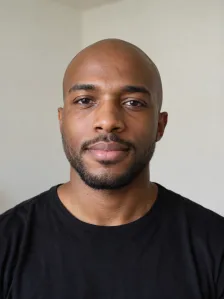
- Photo 1: lead singer, shown in both close-ups.
- Photo 2: saxophone player, takes the solo.
- Photo 3: keyboard player.
- Photos 4 and 5: the two backing singers.
Choose the cast
Pick one clear photo for each performer. People, cartoon and game characters, and pets all work. Real people must be adults who agree to appear.
Set the seats
The upload order is the seating plan. Seats after your last photo are filled by AI.
Pick the resolution
Choose 480p, 720p or 1080p. The price is shown before you pay and does not depend on the number of photos.
Outstanding Tiny Desk AI template price
Each video uses credits. At current pack prices, that is about $5.33 to $8 at 480p, $10.67 to $16 at 720p and $26.67 to $40 at 1080p.
- 480p: 4 credits, about $5.33 to $8 per video.
- 720p: 8 credits, about $10.67 to $16 per video.
- 1080p: 20 credits, about $26.67 to $40 per video.
Credit packs for the template
Packs are a one-time payment. Credits never expire, and every pack works for every resolution.
- Starter: $10 for 5 credits.
- Popular: $20 for 10 credits.
- Plus: $40 for 24 credits.
- Pro: $100 for 75 credits.
What you can and cannot change in the template
You can change the people, their order and the resolution. You cannot change the scene, the shot timing, the length, the song or the picture shape. The template keeps those fixed so that the cuts land on the beat.
There is no free trial and no preview before payment. A rejected photo or a failed video costs nothing.
After the template runs
Most videos finish in about 5 to 8 minutes, and an email arrives when yours is ready. Download the MP4 from the preview box or My videos, where it stays for 30 days. The home page runs the same tool: AI Tiny Desk Meme generator. The guide on how to make a Tiny Desk AI video covers posting, and the Outstanding Tiny Desk AI guide explains the sound.
FAQs
What is the Outstanding Tiny Desk AI template?
The Outstanding Tiny Desk AI template is a fixed setup that turns your photos into a 19-second band video. It includes five shots, five seats and the original "Outstanding" sound.
How do I use the Outstanding Tiny Desk AI template?
To use the template, add one to five photos in seat order, choose a resolution and generate. You do not write a prompt or edit anything.
How much does the Outstanding Tiny Desk AI template cost?
The template costs 4 credits at 480p, 8 at 720p and 20 at 1080p. Credit packs are a one-time payment.
Is the template a file I download?
The template is not a file. It runs in the browser, and the finished video downloads as an MP4.
Can I change the shots in the template?
You cannot change the shots or their timing. You choose the photos, their order and the resolution.
Does the template work with one photo?
The template works with one photo. That photo becomes the lead singer, and AI fills the other seats.
More on Potto.ai
AI Tiny Desk Meme is part of Potto.ai, our main site. Potto.ai also makes the Tiny Desk AI video from your photos, along with many more AI image and video effects.