Key facts
- A Tiny Desk AI video is 19 seconds long, vertical 9:16, with five shots and the original sound.
- You can upload 1 to 5 photos; photo 1 is the lead singer and is required.
- One video costs 4 credits at 480p, 8 at 720p and 20 at 1080p, whatever the number of photos.
- Most videos finish in about 5 to 8 minutes, and an email arrives when yours is ready.
- No prompt, no app and no editing are needed; the whole process runs in the browser.
- Photos are deleted after 14 days, and finished videos stay in My videos for 30 days.
How to make a Tiny Desk AI video: six steps
Every Tiny Desk AI video follows the same path. The generator above handles each step on one screen.
Step 1: Choose your photos
Pick one clear photo for each person, character or pet you want in the band. Each photo needs one subject facing the camera. Real people must be adults and must agree to appear.
Step 2: Put the photos in seat order
Photos fill the seats in order. Photo 1 is the lead singer, photo 2 plays the sax, photo 3 plays the keyboard, and photos 4 and 5 are the backing singers. Seats after your last photo are filled by AI.
Step 3: Check the photos
Each photo is checked as soon as you upload it. A photo with no clear face, a group of people or a possible minor is rejected on the spot. A rejected photo never costs credits, so you can swap it right away.
Step 4: Pick a resolution
Choose 480p, 720p or 1080p. The credit cost shows on the button before you pay. The number of photos does not change the price.
Step 5: Generate and wait
If your balance is too low, you buy a credit pack once. Packs start at $10, and generation starts right after checkout. Most videos take 5 to 8 minutes. You can close the page, and we send an email when the video is ready.
Step 6: Download and post
Play the video in the preview box, then download the MP4. My videos keeps it for 30 days. A failed video returns its credits automatically.
Photos for a Tiny Desk AI video
A sharp, front-facing photo with even light gives the closest likeness. These five photos made the example video below, one per seat.
- One clear subject per photo, facing the camera.
- People, anime and game characters, and pets all work.
- Real people must be 18 or older.
- The face must be visible, with no sunglasses, mask or hand in front.
- JPG, PNG, WebP or HEIC, up to 10 MB each.
- Only photos you have the right to use.
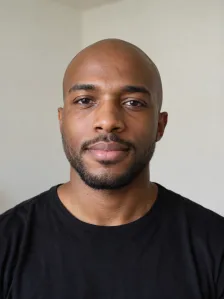 Photo 1: lead singer
 Photo 2: sax player
 Photo 3: keyboard player
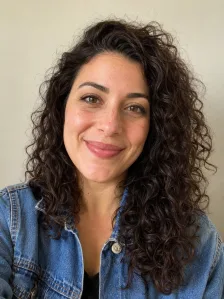 Photo 4: backing singer
 Photo 5: backing singer
Seat order in a Tiny Desk AI video
The upload order is the seating plan. Decide it before you add the photos.
- Photo 1: lead singer, shown in both close-ups.
- Photo 2: saxophone player, takes the solo.
- Photo 3: keyboard player.
- Photos 4 and 5: the two backing singers.
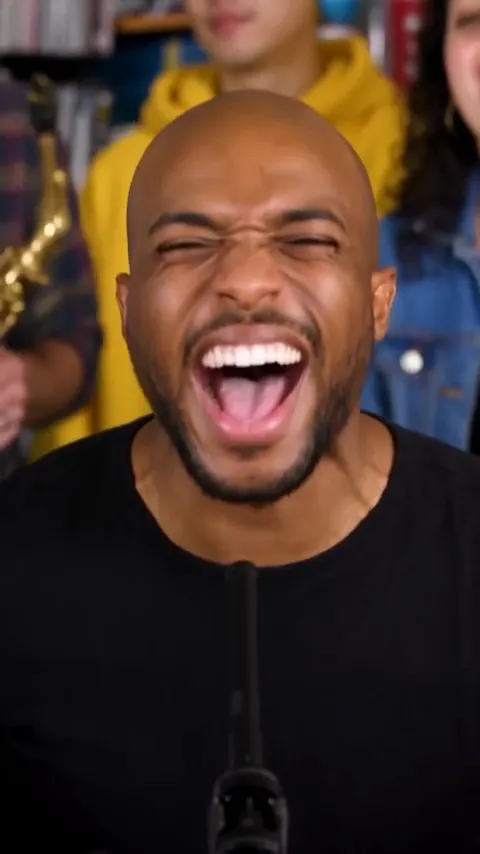
How to make a Tiny Desk AI video with one photo
One photo is enough. It becomes the lead singer, and you appear in both close-ups. AI builds the rest of the band around you.
A video from one photo costs the same as a video from 5. Add more photos later if you want friends in the band. The Tiny Desk AI template guide shows how each seat appears in the five shots.
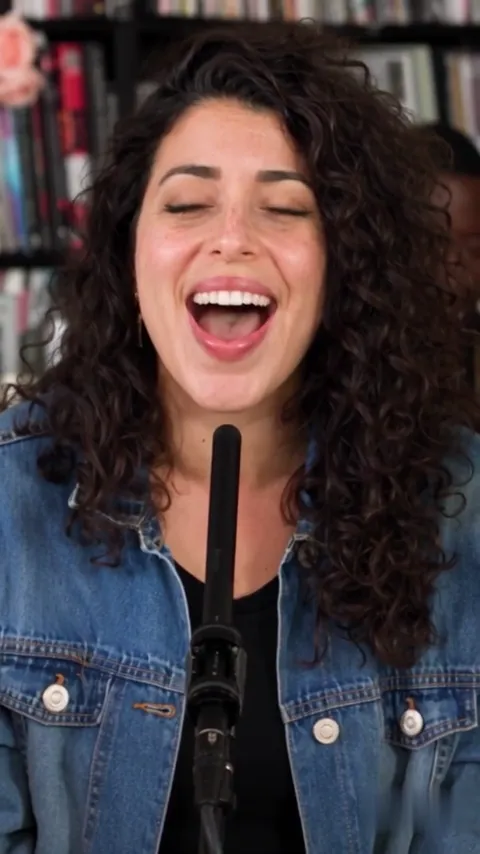
How to make a Tiny Desk AI video on your phone
The generator runs in the mobile browser, so you do not need an app. You can pick photos straight from your camera roll, and iPhone HEIC photos are converted automatically. There is no prompt to type and no editing template to set up.
The video is vertical 9:16, so it fits a phone screen. Download the MP4 to your camera roll and post it from there.
Resolution, price and waiting time
Each video uses credits from a one-time pack. Credits never expire, and nothing renews.
- 480p: 4 credits, about $5.33 to $8 per video.
- 720p: 8 credits, about $10.67 to $16 per video.
- 1080p: 20 credits, about $26.67 to $40 per video.
How to post your Tiny Desk AI video
The clip is 19 seconds and vertical, so it works as it is on TikTok, Instagram Reels, YouTube Shorts and X. Upload the MP4 in the app you post from. The original sound is part of the file.
Say that the video is AI-made, and ask the people in your photos before you share it. The clip can look real at first glance. To make another one, scroll back to the AI Tiny Desk Meme generator.
If your Tiny Desk AI video does not look right
A face that looks off is usually caused by a small, dark or tilted photo. Try a larger, sharper photo that faces the camera. Screen time can vary, so a band member may appear in fewer shots than the others.
A video that fails costs nothing, because its credits go back to your balance. The Outstanding Tiny Desk AI guide explains the sound, and the AI Tiny Desk meme guide has casting ideas.
FAQs
How do I make a Tiny Desk AI video?
To make a Tiny Desk AI video, upload your lead singer photo, add up to four band members, choose a resolution and generate. You do not write a prompt or sing.
Is one photo enough for a Tiny Desk AI video?
One photo is enough for a Tiny Desk AI video. That photo becomes the lead singer, and AI fills the other seats.
Do I upload a separate photo for each person?
Each person in the band needs a separate photo. Photos fill the seats in order: lead, sax, keys and two backing singers.
Does the video have the original song?
Every Tiny Desk AI video has the original "Outstanding" sound, lined up with the cuts. There is no setting to change the song.
Which photos work best?
A sharp photo of one subject facing the camera works best. Pets and cartoon or game characters work too, and real people must be adults.
How do I post a Tiny Desk AI video on TikTok, Instagram or X?
Download the MP4 from the preview box or My videos, then upload it in the app. The clip is vertical 9:16, so TikTok, Reels and Shorts show it full screen.
Can I try making a Tiny Desk AI video for free?
There is no free trial or preview. A video uses credits from a one-time pack, and a rejected photo or a failed video costs nothing.
How long does a Tiny Desk AI video take?
A Tiny Desk AI video usually takes 5 to 8 minutes. You can close the page, and we send an email when it is ready.
Where can I make the viral Outstanding video?
You can make an Outstanding style Tiny Desk video right on this page. The clip uses the same five-shot plan and the original sound, with your photos in the band.
Can I make a Tiny Desk AI video on my phone without CapCut?
You can make a Tiny Desk AI video on your phone without CapCut or a prompt. The generator runs in the mobile browser and you only pick photos.
What if I do not like the result?
There is no manual editing, so try another photo and generate again. A failed video returns its credits, but a finished video is charged.
How much does a Tiny Desk AI video cost?
A Tiny Desk AI video costs 4 credits at 480p, 8 at 720p and 20 at 1080p. That is $5.33 to $8, $10.67 to $16 and $26.67 to $40, depending on the pack.
More on Potto.ai
AI Tiny Desk Meme is part of Potto.ai, our main site. Potto.ai also makes the Tiny Desk AI video from your photos, along with many more AI image and video effects.